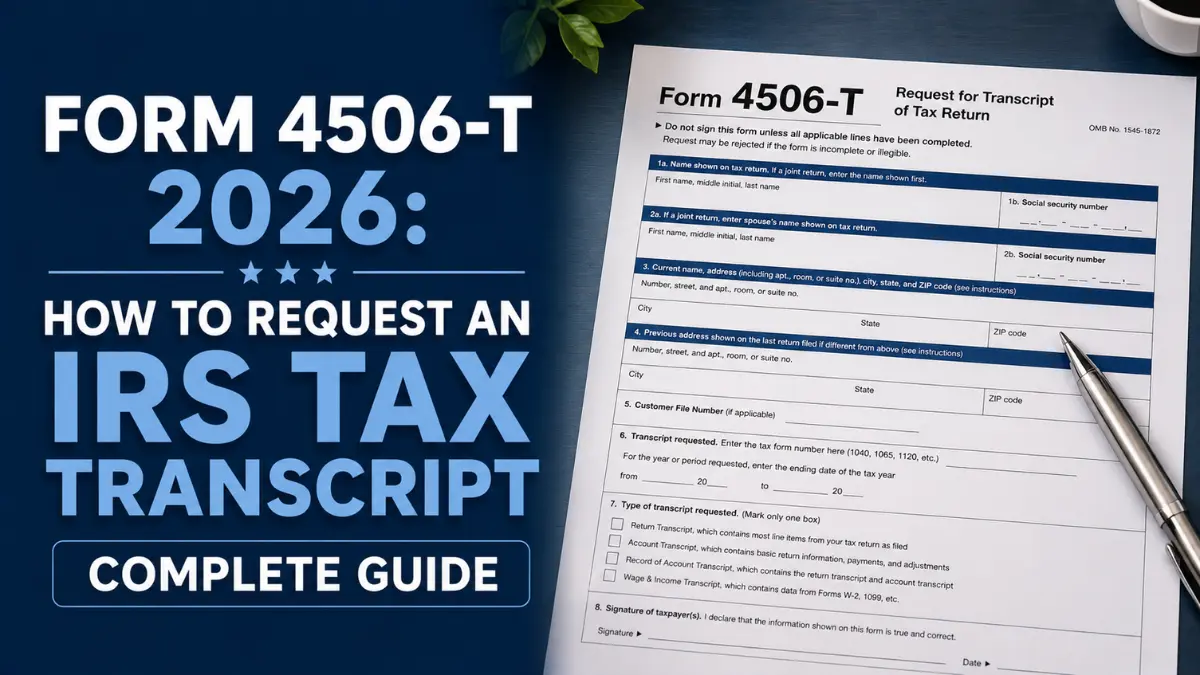
Whether you are applying for a mortgage, completing a FAFSA financial aid application, responding to an IRS audit, or simply need to verify your income history, an IRS tax transcript request 2026 is one of the most common — and most misunderstood — interactions Americans have with the IRS. Form 4506-T, officially titled Request for Transcript of Tax Return, is the IRS form that makes it possible. It is free, covers up to four prior tax years in a single request, and can be sent directly to a third party like a lender or university on your behalf.
This complete guide covers every transcript type, every method of requesting one, the form 4506-T processing time 2026, common mistakes that cause delays, and when you need Form 4506-T versus a faster online alternative. By the end you will know exactly which transcript you need and the fastest way to get it.
Also on applicationformportal.us: Form 1040 2026 — your tax transcript is generated from your filed Form 1040 and shows the IRS’s own record of every line item you reported.
What Is Form 4506-T?
📥 Download Form 4506-T from the Official IRS Website →
The form 4506-T 2026 is a free IRS form that allows taxpayers — or authorized third parties — to request official transcripts of previously filed tax returns. A transcript is not a photocopy of your return. It is a standardized IRS-generated summary of the data from your filed return, showing the same line items, income figures, deductions, and credits, but in a condensed format that most lenders, universities, and government agencies accept as official income verification.
Transcripts are always free. A full photocopy of your actual return costs $43 per year and requires the separate Form 4506 — which takes up to 75 days. For nearly every purpose — mortgages, FAFSA, SBA loans, IRS audits, income verification — a transcript is sufficient and far faster.
Form 4506-T vs 4506 vs 4506-C: What Is the Difference?
Understanding the 4506-T vs 4506 difference — and where Form 4506-C fits in — saves you from requesting the wrong document and losing days or weeks:
| Form | What It Requests | Cost | Processing Time | Best For |
|---|---|---|---|---|
| Form 4506-T | Free transcript (summary) of a filed tax return | Free | 5–10 business days by mail; instant online | Mortgages, FAFSA, income verification, most standard uses |
| Form 4506 | Actual photocopy of a filed tax return | $43 per tax year | Up to 75 calendar days | Legal disputes, amended return comparisons, cases requiring exact original document |
| Form 4506-C | Transcript requested by a lender or financial institution directly from the IRS via the IVES program | Free to taxpayer | 2–4 weeks via IVES; varies by IRS backlog | Mortgage lenders who pull transcripts directly; you sign it as part of your loan application |
Key point on Form 4506-C: If your mortgage lender hands you a form to sign that looks like a 4506-T but says “4506-C” at the top, that is normal. The 4506-C replaced the 4506-T for lender-initiated income verification in 2021. You sign it; the lender submits it to the IRS through the IVES (Income Verification Express Service) program. You do not need to submit a separate 4506-T in that scenario.
The Five IRS Transcript Types: Which One Do You Need?
The IRS transcript types explained section is where most people get confused. The IRS offers five different transcript types through Form 4506-T, and requesting the wrong one means starting over. Here is exactly what each one contains and when to use it:
| Transcript Type | What It Contains | Years Available | Best For |
|---|---|---|---|
| 1. Tax Return Transcript | Most line items from your original Form 1040 as filed, including AGI, deductions, and credits. Does not show changes made after original filing. | Current year + prior 3 years | Mortgage applications, FAFSA, most income verification needs |
| 2. Tax Account Transcript | Basic data including return type, filing status, taxable income, payments, and any post-filing changes (amendments, IRS adjustments) | Current year + prior 9 years | Verifying what the IRS actually has on file after any amendments or IRS corrections |
| 3. Record of Account Transcript | Combines the Tax Return Transcript and Tax Account Transcript into one document — the most comprehensive option | Current year + prior 3 years | When you need both original return data and post-filing changes in one document |
| 4. Wage and Income Transcript | Data reported to the IRS on W-2s, 1099s, 1098s, and other information returns filed by employers and financial institutions on your behalf | Current year + prior 9 years | Reconstructing missing income records, verifying W-2 or 1099 data, prior-year AGI for e-filing |
| 5. Verification of Non-Filing Letter | Confirms that the IRS has no record of a filed income tax return for the requested year | Current year + prior 3 years | FAFSA independent student verification, proof you were not required to file, certain government assistance applications |
For most people, the Tax Return Transcript is the right choice. It covers virtually all mortgage lender requirements, most FAFSA needs, and standard income verification. The wage and income transcript IRS option is the best choice if you need to verify what employers or financial institutions reported about your income without having your original return in hand.
How to Get Your IRS Tax Transcript Online (Fastest Method)
The fastest way to complete an IRS tax transcript request 2026 is through the IRS Get Transcript online tool at IRS.gov/GetTranscript. This method provides an instant download — no form, no mail, no wait. Here is the step-by-step process:
- Go to IRS.gov/GetTranscript and click “Get Transcript Online.”
- Create or sign in to your IRS Individual Online Account. You will need your Social Security number or ITIN, date of birth, filing status, mailing address from your most recent tax return, and a valid email address. Identity verification is handled through ID.me — have a government-issued ID (driver’s license or passport) ready for your first login.
- Select the transcript type you need from the five options listed above.
- Select the tax year. You can request transcripts for the current year and up to three or nine prior years, depending on transcript type.
- Download the PDF instantly. The transcript is available immediately and can be printed, saved, or emailed to a third party.
When online access is unavailable: The IRS Get Transcript online tool requires identity verification through ID.me. If you cannot complete the identity verification process — for example, because you do not have a smartphone or the required ID documents — use one of the alternative methods below.
How to Fill Out Form 4506-T: Line-by-Line Instructions
If you need a transcript mailed — either to yourself or to a third party — knowing how to get IRS tax transcript online is not always an option. Here is how to complete form 4506-T 2026 correctly:
Lines 1a and 1b — Name and Social Security Number
Enter your name exactly as it appeared on the tax return for the year you are requesting. Enter your Social Security number or ITIN. If the return was filed jointly, enter the primary taxpayer’s name and SSN on Lines 1a/1b. Mismatches between this information and your IRS records are the most common reason Form 4506-T requests are rejected.
Lines 2a and 2b — Spouse Name and SSN (Joint Returns Only)
If requesting a transcript for a jointly filed return, enter your spouse’s name and SSN on Lines 2a and 2b. Either spouse may sign the form to authorize the request on a joint return.
Line 3 — Current Address
Enter your current mailing address. If this differs from the address on the return being requested, the IRS may require additional verification. Enter your current address here and provide the address from the original return on Line 4 if they differ.
Line 4 — Previous Address (If Different)
If your address has changed since the tax year you are requesting, enter the address that appeared on that return on Line 4. This helps the IRS match your request to the correct record.
Line 5 — Third-Party Delivery (Optional)
This is one of the most useful features of Form 4506-T. If you want the IRS to send the transcript directly to a lender, university, or other third party rather than to you, enter the third party’s name, address, and telephone number on Line 5. This eliminates the step of receiving the transcript yourself and forwarding it, which is especially useful for mortgage applications and FAFSA verification.
Line 6 — Transcript Type
Enter the transcript type code. The IRS uses the following codes on the current form: Return Transcript (enter “Return Transcript”), Account Transcript (enter “Account Transcript”), Record of Account (enter “Record of Account”), Wage and Income (enter “Wage and Income”), or Verification of Non-Filing (enter “Verification of Non-Filing”).
Line 7 — Verification of Non-Filing
Check this box only if you are requesting a Verification of Non-Filing letter — confirmation that the IRS has no record of a return for the requested year. This is separate from choosing it as the transcript type on Line 6; some versions of the form use this checkbox instead.
Line 8 — Form Number
Enter the form number of the return whose transcript you are requesting. For individual income tax returns, this is 1040. For business returns, enter 1065, 1120, 1120-S, or the appropriate form number.
Line 9 — Tax Year(s) Requested
Enter the ending date of the tax period you are requesting in MM/DD/YYYY format. For calendar-year filers, this is always December 31 of the relevant year. For example, to request a transcript for tax year 2023, enter 12/31/2023. You can request up to four tax periods on a single Form 4506-T.
Signature and Date
Sign and date the form at the bottom. An unsigned Form 4506-T will be rejected. For joint returns, either spouse may sign. If you are signing on behalf of a deceased taxpayer’s estate, include your title (e.g., “Executor”) next to your signature.
How to Submit Form 4506-T
Once completed, mail or fax your form 4506-T 2026 to the IRS address or fax number listed in the current form instructions. The correct address depends on your state of residence and is published at IRS.gov with every version of the form. Do not use an address from an old copy of the form — IRS mailing addresses for transcript requests change periodically.
| Submission Method | How | Processing Time | Best For |
|---|---|---|---|
| IRS Get Transcript Online | IRS.gov/GetTranscript (requires ID.me verification) | Instant | Most individuals — fastest option |
| IRS Automated Phone Line | Call 1-800-908-9946; follow prompts | 5–10 calendar days by mail | No online access; simple transcript requests |
| Form 4506-T by Mail | Mail completed form to IRS address in instructions | 5–10 business days after IRS receives | Third-party delivery; complex requests; prior-year returns beyond online availability |
| Form 4506-T by Fax | Fax to IRS number in current form instructions | 5–10 business days after IRS receives | Faster than mail for paper submissions |
Form 4506-T Processing Time 2026
The form 4506-T processing time 2026 depends entirely on how you request your transcript:
- Online (IRS Get Transcript): Instant — download your PDF the moment identity verification is complete.
- Phone (automated line 1-800-908-9946): Transcript mailed within 5–10 calendar days of your call.
- Paper Form 4506-T (mail or fax): The IRS processes mailed or faxed forms within 5–10 business days of receipt. Add postal transit time on both ends — allow 2–3 weeks total from mailing date to receiving your transcript.
- Lender-initiated Form 4506-C via IVES: Typically 2–4 weeks, but can stretch longer during peak filing season or IRS backlog periods.
Important: Transcripts for the most recently filed tax year may not be available immediately after filing. The IRS typically makes the current-year transcript available within 2–4 weeks of processing your return. If you e-filed recently and your transcript is not yet available online, wait a few weeks and try again.
Tax Transcript for Mortgage Applications
The tax transcript for mortgage 2026 is one of the most common reasons people request Form 4506-T. Mortgage lenders use tax transcripts to verify that the income you reported on your loan application matches what you reported to the IRS — a safeguard against income fraud.
Here is what you need to know for mortgage applications specifically:
- Most lenders require 2 years of transcripts. Standard mortgage underwriting guidelines (Fannie Mae, Freddie Mac, FHA, VA) require Tax Return Transcripts for the 2 most recent tax years.
- Your lender may pull transcripts themselves. Most mortgage lenders submit Form 4506-C directly to the IRS via the IVES program. You sign the 4506-C as part of your loan application package — you do not separately request the transcript yourself.
- Self-employed borrowers face additional scrutiny. Lenders typically require both the personal 1040 transcript and the business return transcript (1120, 1120-S, or 1065) for self-employed applicants. Be prepared to authorize transcripts for all relevant entities.
- Timing matters. If your transcript is not yet available because you recently filed, this can delay mortgage closing. File your taxes as early as possible if you anticipate needing a mortgage transcript within the same year.
Tax Transcript for FAFSA 2026
The tax transcript for FAFSA 2026 situation has become simpler for most families. The FAFSA now uses the IRS Direct Data Exchange (formerly the IRS Data Retrieval Tool) to pull tax data directly into the FAFSA from the IRS — eliminating the need for most families to separately request a transcript.
However, you may still need to request a transcript manually via Form 4506-T if:
- Your college’s financial aid office selects your FAFSA for verification and requests an IRS Tax Return Transcript or Verification of Non-Filing Letter
- You or your parents did not use the IRS Direct Data Exchange and the school requires manual income verification
- You are an independent student verifying non-filing status
- There is a discrepancy between your FAFSA data and your tax records that the financial aid office needs resolved
When a transcript is required for FAFSA verification, the Tax Return Transcript (for filers) or the Verification of Non-Filing Letter (for non-filers) is the correct document. Request it using the online tool at IRS.gov/GetTranscript for same-day delivery, then submit it to your school’s financial aid office as instructed.
Common Form 4506-T Mistakes to Avoid
- Name or SSN mismatch. The name and SSN on Lines 1a/1b must exactly match your IRS records. Even a middle initial inconsistency can cause a rejection. Use your name exactly as it appeared on the return you are requesting.
- Wrong address on Line 3. If you have moved since the tax year being requested, fill in Line 4 with the address from the original return and Line 3 with your current address. Leaving Line 4 blank when your address has changed is a common rejection trigger.
- Requesting the wrong transcript type. A lender asking for “income verification” wants a Tax Return Transcript, not a Tax Account Transcript. Confirm with the requesting party which transcript type they require before submitting.
- Wrong date format on Line 9. Enter dates in MM/DD/YYYY format. For a 2023 tax year return, enter 12/31/2023 — not “2023” or “Tax Year 2023.”
- Requesting too many years on one form. Form 4506-T allows up to four tax periods per request. If you need more than four years, submit a second form.
- Not signing the form. An unsigned 4506-T is automatically rejected. Signature is required even when submitting the form on behalf of a deceased taxpayer (include your title).
- Using an outdated form version. Always download the current Form 4506-T from IRS.gov before submitting. The IRS will reject forms that are not the current revision.
Other Application Forms You May Need
Requesting a tax transcript often goes hand in hand with other IRS or financial forms. Here are two guides on applicationformportal.us that frequently pair with the 4506-T:
- 📄 Form 1040 2026 — Your tax transcript is built from your filed Form 1040. If you are missing prior-year returns, a wage and income transcript from IRS.gov can help reconstruct what you need to file.
- 📄 FAFSA 2026–27 Application Guide — If your college’s financial aid office selected your application for verification, you may need to submit an IRS Tax Return Transcript or Verification of Non-Filing Letter as part of the FAFSA verification process.
Frequently Asked Questions About Form 4506-T 2026
Is Form 4506-T free?
Yes. Requesting a tax transcript using Form 4506-T is completely free. The IRS charges no fee for any of the five transcript types. The only IRS form that charges a fee is Form 4506 (Request for a Copy of Tax Return), which costs $43 per tax year and provides a photocopy of the original return rather than a transcript.
How long does it take to get a tax transcript?
Online via IRS.gov/GetTranscript: instant. By phone (automated line): 5–10 calendar days by mail. By paper Form 4506-T: 5–10 business days after the IRS receives your form, plus postal transit time. The form 4506-T processing time 2026 for paper submissions is typically 2–3 weeks total from mailing to receipt.
What is the difference between a tax transcript and a tax return?
A tax return is the original form you filed (Form 1040 and all attachments). A tax transcript is a standardized IRS-generated summary of the data from that return. Transcripts partially mask personal information for security but show all financial data in full. For most purposes — mortgages, FAFSA, income verification — a transcript is sufficient. Only rare legal or amended-return situations require the actual photocopy (Form 4506).
Can I send my tax transcript directly to a lender or university?
Yes. Line 5 of Form 4506-T allows you to designate a third party — such as a mortgage lender, financial aid office, or SBA office — to receive the transcript directly from the IRS. Enter their name, address, and phone number. The IRS will mail the transcript to that address rather than to you. Note that you cannot use Line 5 for transcripts requested through the online tool — the online method only delivers to you directly.
Which transcript type do I need for a mortgage?
For a standard mortgage application, you need a Tax Return Transcript — one for each of the past 2 tax years. This covers Fannie Mae, Freddie Mac, FHA, and VA loan requirements. However, most mortgage lenders now pull transcripts directly using Form 4506-C via the IVES program. Check with your lender whether you need to request it yourself or whether they will pull it directly once you sign the 4506-C in your loan application package.
How many years of tax transcripts can I request?
One Form 4506-T allows up to four tax years per request. The years available depend on transcript type: Tax Return Transcripts and Record of Account Transcripts cover the current year plus 3 prior years; Tax Account Transcripts and Wage and Income Transcripts cover the current year plus 9 prior years. For more than four years at once, submit a second Form 4506-T.
What if my tax transcript is not available yet?
Transcripts for the most recently filed tax year become available 2–4 weeks after the IRS processes your return. If you e-filed recently and your transcript is not yet showing online, wait and try again. If you need a transcript urgently for a mortgage closing and it is not yet available, ask your lender whether they can use your filed return documents temporarily while the IRS processes the transcript.
Official Form 4506-T Resources
- 🟩 Download Form 4506-T (PDF) — IRS.gov
- 🟩 Get Transcript Online or by Mail — IRS.gov
- 🟩 About Tax Transcripts — IRS.gov
- 🟩 Transcript Services FAQs — IRS.gov
Disclaimer: This guide is for general informational purposes only and does not constitute tax or legal advice. IRS forms, processing times, and procedures can change. Always verify current information at IRS.gov or consult a qualified tax professional for advice specific to your situation.