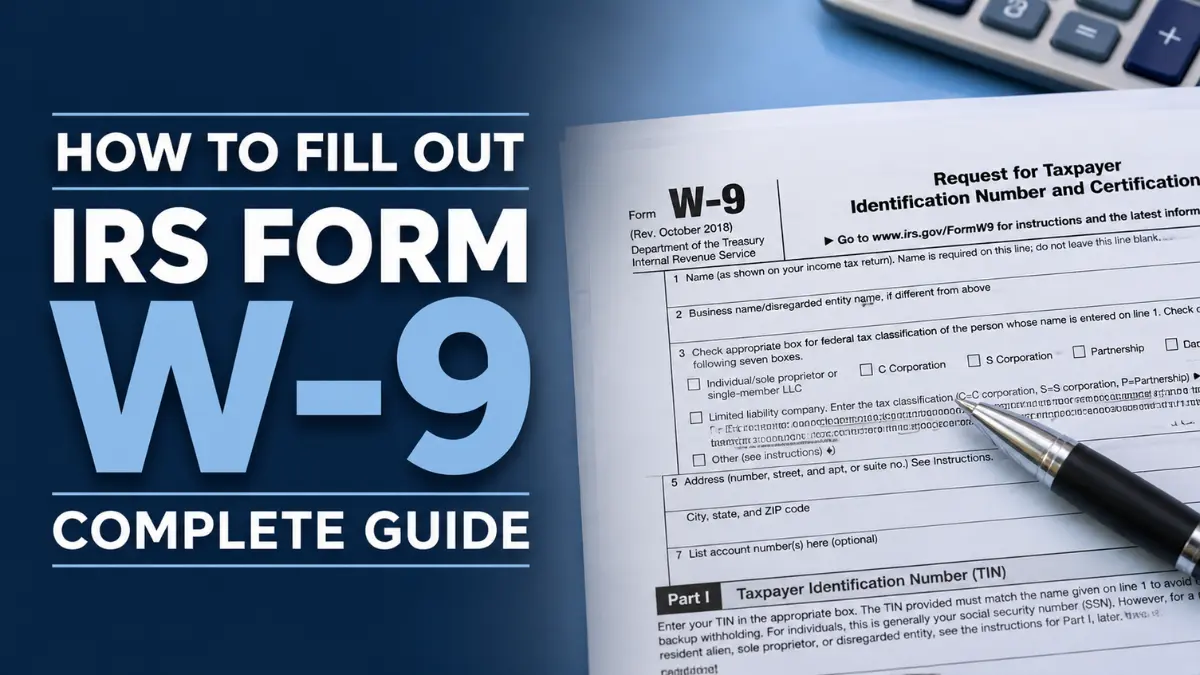
Every freelancer, independent contractor, and small business owner in the United States will eventually be handed a form and asked to fill it out before getting paid. That form is the W-9 form 2026 — officially called the IRS Request for Taxpayer Identification Number and Certification. It is one of the most widely used tax documents in the country, yet it is also one of the most misunderstood. Fill it out wrong, and your client may withhold 24% of every payment you receive until the mistake is corrected. Get it right, and the whole process takes five minutes.
Whether you are looking for a W9 form download, need a plain-English explanation of how to fill out a W-9, or want to understand exactly what happens with your IRS W-9 form once you hand it over, this guide covers everything. We walk through who needs one, when to submit it, and exactly how to complete every line. We explain the 2026 changes affecting the W-9 form for independent contractors, including the new reporting threshold and the updated digital asset certification. We also cover where to get the W9 fillable PDF, what is a W-9 form at a fundamental level, the critical difference in the W-9 vs 1099 relationship, what triggers backup withholding W-9 obligations, and where to find the official W-9 form 2026 printable version directly from the IRS.
What Is Form W-9?
Form W-9 is an IRS tax form titled “Request for Taxpayer Identification Number and Certification.” It is used by businesses, clients, and financial institutions to collect a U.S. person’s or entity’s legal name, address, and Taxpayer Identification Number (TIN) before making certain payments. The TIN is either a Social Security Number (SSN) for individuals and sole proprietors, or an Employer Identification Number (EIN) for businesses.
Crucially, the W-9 is never filed with the IRS. The person filling it out gives it to the requesting business, which keeps it on file and uses the information to prepare year-end tax documents — primarily Form 1099-NEC for contractor payments and Form 1099-MISC for other reportable income. Think of it as your tax ID card for non-employee work. Without a valid W-9 on file, the business is legally required to apply backup withholding at 24% of every payment it makes to you.
📥 Download Form W-9 from the Official IRS Website →
2026 Update — What Changed and Who Needs to Know
The IRS released a new draft of Form W-9 (Rev. June 2026) that introduces some of the most significant changes to the form in years. Here is what is new and what it means for contractors, freelancers, and businesses:
1. Reporting Threshold Raised to $2,000
The One Big Beautiful Bill Act (OBBBA), signed into law on July 4, 2025, raised the information reporting threshold from $600 to $2,000 for payments made from January 1, 2026 onward. This means businesses are now only required to file a Form 1099-NEC if total annual payments to a contractor reach $2,000 or more. However, tax professionals strongly recommend collecting a W-9 from every contractor before the first payment regardless of amount — because you will not know whether the total will cross $2,000 until the year is over, and missing the threshold triggers retroactive backup withholding exposure.
2. New Digital Asset Broker Certification
Part II of the updated W-9 now includes a dedicated checkbox allowing certain U.S. digital asset brokers — including crypto exchanges and digital asset platforms — to certify their exempt status. A new exempt payee code (Code 14) has also been introduced, covering digital asset transactions that are exempt from backup withholding through calendar year 2026.
3. SSN Rule Tightened for Sole Proprietors
The draft June 2026 form makes explicit what was previously easy to miss: sole proprietors must enter their Social Security Number (SSN) as their TIN — not their EIN. Similarly, single-member LLCs that are disregarded entities must enter the owner’s TIN, not the LLC’s EIN. Using the wrong number triggers an IRS B-Notice and potentially backup withholding.
Note: As of June 2026, the Rev. June 2026 form remains in draft. The version currently in use for most transactions is the March 2024 revision. Always check irs.gov/forms-pubs/about-form-w-9 for the latest finalized version before completing a new form.
Who Needs to Fill Out a W-9?
You will be asked to complete Form W-9 if you are a U.S. person or entity receiving payments that are not subject to standard employee payroll withholding. This includes:
- Independent contractors and freelancers — anyone paid for services without being on a company payroll
- Sole proprietors operating under their own name or a DBA
- Single-member LLCs and multi-member LLCs providing services to other businesses
- Vendors and suppliers being onboarded by a new business client
- Real estate transaction participants — buyers, sellers, and agents
- Individuals receiving dividends, interest, or certain bank payments
- Anyone receiving cancellation of debt, IRA contributions reported, or mortgage interest payments
Employees do not fill out a W-9. If you are starting a traditional job, you fill out Form W-4, which tells your employer how much income tax to withhold from your wages. The W-9 is strictly for non-employee situations.
W-9 Required Information — What You Need Before You Start
The W-9 is a short form but it requires specific information. Have the following ready before you begin:
- Your full legal name exactly as it appears on your federal tax return
- Your business or DBA name (if different from your legal name)
- Your federal tax classification (individual, sole proprietor, LLC, C-corp, S-corp, partnership, trust/estate)
- Your mailing address as it appears on your tax return
- Your Taxpayer Identification Number — SSN for individuals and sole proprietors, EIN for corporations and partnerships
- Any applicable exemption codes (most individual contractors leave this blank)
How to Fill Out a W-9 — Line by Line Guide
Line 1 — Name
Enter your full legal name exactly as it appears on your federal income tax return. For individuals and sole proprietors, this is your personal name. Do not enter your business name here — that goes on Line 2. The name on Line 1 must match the TIN you enter in Part I, or the IRS will flag a mismatch.
Line 2 — Business Name / Disregarded Entity Name
If you operate under a business name, trade name, DBA, or as a single-member LLC that is treated as a disregarded entity, enter that name here. If you operate solely under your personal name with no separate business name, leave Line 2 blank.
Line 3a — Federal Tax Classification
Check the single box that applies to you. Options include Individual/sole proprietor, C corporation, S corporation, Partnership, Trust/estate, and LLC. If you select LLC, you must also enter the tax classification letter: C for C corporation, S for S corporation, or P for partnership. Most freelancers and contractors check “Individual/sole proprietor.”
Line 3b — Foreign Partners, Owners, or Beneficiaries
This line was added in the March 2024 revision. If you are a flow-through entity (partnership, S-corp, trust, or estate) with direct or indirect foreign partners, owners, or beneficiaries, check this box. Most individual contractors and small domestic businesses leave this unchecked.
Line 4 — Exemptions
Most individual contractors and freelancers leave both exemption fields blank. These exemptions are primarily for corporations, government agencies, and certain financial institutions. If you are a C corporation providing services, your exempt payee code is typically 1. If you are operating as a digital asset broker exempt under Notice 2025-33, enter Code 14.
Lines 5 & 6 — Address
Enter your street address, city, state, and ZIP code. Use the address that appears on your federal income tax return. If your mailing address differs from your tax return address, use the tax return address for consistency and to avoid IRS matching issues.
Line 7 — Account Numbers (Optional)
This field is optional and is used by the requester to list account numbers they associate with you. You may leave it blank unless the requesting business specifically asks you to fill it in.
Part I — Taxpayer Identification Number (TIN)
Enter your TIN in the correct box. If you are an individual or sole proprietor, enter your Social Security Number in the SSN field — even if you have an EIN. The 2026 draft makes this rule explicit: sole proprietors and disregarded entities must not enter an EIN here. If you are a corporation, partnership, or multi-member LLC, enter your Employer Identification Number in the EIN field.
Part II — Certification
By signing Part II, you certify that your TIN is correct, that you are not subject to backup withholding (or if you are, you will note it), and that you are a U.S. person. Sign and date the form. The W-9 can be signed by hand or electronically. Do not leave this section blank — an unsigned W-9 is not valid and will trigger backup withholding.
W-9 vs 1099 — Understanding the Relationship
These two forms are frequently confused, but they serve very different purposes and are completed by different people.
| Form | Who Fills It Out | Who Receives It | Filed with IRS? | Purpose |
|---|---|---|---|---|
| W-9 | The contractor / payee | The business / payer | No — kept on file | Provides TIN and tax classification to the payer |
| 1099-NEC | The business / payer | Contractor + IRS | Yes | Reports total non-employee payments made during the year |
In practice: you fill out the W-9 at the start of a working relationship, the business keeps it, and at year-end if total payments reach the reporting threshold (now $2,000 for 2026), the business uses your W-9 information to prepare a Form 1099-NEC and file it with both you and the IRS.
What Is Backup Withholding and When Does It Apply?
Backup withholding is a 24% tax that a business must withhold from your payments and send directly to the IRS when certain conditions are met. It is triggered when:
- You fail to provide a W-9 at all
- You provide an incorrect or incomplete TIN
- The IRS notifies the business that your TIN does not match their records (a “B-Notice”)
- You certify in Part II that you are subject to backup withholding
For a contractor earning $5,000 from a single client, backup withholding means losing $1,200 upfront. That money is held by the IRS and can only be recovered through your annual tax return. The easiest way to avoid it entirely: provide a complete, accurate, signed W-9 before your first invoice is paid.
How Long Does a W-9 Stay Valid?
A W-9 does not have a fixed expiration date. Once you provide one to a business, they can use it indefinitely — unless your information changes. You should submit a new W-9 whenever any of the following changes:
- Your legal name (due to marriage, divorce, or legal name change)
- Your TIN (if you change from SSN to EIN after incorporating, for example)
- Your tax classification (if you convert from sole proprietor to LLC)
- Your address (recommended to keep 1099s delivered correctly)
Businesses are required to retain W-9s for at least four years after the related tax return. Many retain them indefinitely for ongoing contractor relationships.
Top W-9 Mistakes That Trigger Backup Withholding
- Sole proprietor entering EIN instead of SSN. The 2026 draft makes this rule unambiguous. Your EIN is not your TIN for W-9 purposes if you are a sole proprietor.
- Name mismatch. The name on Line 1 must exactly match the name the IRS has on file for your TIN. Even a middle initial difference can cause a B-Notice.
- Leaving Part II unsigned. An unsigned W-9 is invalid. The business must treat it as if no W-9 was provided at all.
- Wrong tax classification for LLCs. A single-member LLC disregarded for tax purposes checks “Individual/sole proprietor,” not the LLC box.
- Using an outdated form. Always download the current version from irs.gov. Third-party sites often host outdated or altered versions.
- Assuming you only need one per business. If your information changes — name, TIN, classification — submit an updated W-9 to every client who has your old one on file.
Official Links — Download W-9 Form and Resources
- 📄 Download IRS Form W-9 (Official PDF) →
- 🌐 About Form W-9 — IRS Official Page →
- 📋 IRS W-9 Instructions (Official PDF) →
- 💰 About Form 1099-NEC (used with W-9 data) →
- 🔍 IRS Backup Withholding Guide →
Other Application Forms You May Need
Depending on your situation, you may also need to complete other official U.S. government application forms. Here are some of the most-searched forms on our site to help you stay prepared:
- 📋 SS-5 Form — How to Apply for a Social Security Card
Your Social Security Number is the TIN you will enter on a W-9. If you do not yet have an SSN or need a replacement card, the SS-5 is the form you need — filed directly with the Social Security Administration. - 📋 I-485 Form — Application to Register Permanent Residence (Green Card)
Non-U.S. persons are generally required to complete a W-8 form rather than a W-9. However, once you obtain Lawful Permanent Resident status through the I-485 process, you become a U.S. person for tax purposes and will use a W-9 going forward.
Frequently Asked Questions About Form W-9
Do I send the W-9 to the IRS?
No. You give your completed W-9 directly to the business or individual requesting it. They keep it on file. The W-9 itself is never mailed to the IRS. It is the payer’s responsibility to file a Form 1099 with the IRS at year-end using the information from your W-9.
What happens if I refuse to provide a W-9?
If you refuse to provide a W-9 to a legitimate business payer, they are legally required to apply 24% backup withholding to all payments made to you. They are also subject to IRS penalties for failing to collect proper tax documentation. Providing a complete and accurate W-9 protects both you and the payer.
What is the difference between a W-9 and a W-4?
A W-4 is completed by employees when starting a new job. It tells the employer how much federal income tax to withhold from each paycheck. A W-9 is for independent contractors, freelancers, and vendors — non-employees. With a W-9, no tax is withheld; the contractor is responsible for paying their own self-employment and income taxes directly to the IRS through quarterly estimated payments.
Can I fill out and submit a W-9 electronically?
Yes. The IRS permits electronic W-9 forms with electronic signatures, provided the system used meets IRS e-signature requirements. Many businesses use platforms such as DocuSign, Adobe Acrobat, or dedicated contractor onboarding software to collect W-9s electronically. You can also download the official fillable PDF from irs.gov, complete it digitally, and email it directly to the requester.
Do I need a new W-9 for each client?
Yes, in general. Each business that pays you needs its own copy of your W-9 on file. However, you only need to provide an updated W-9 to existing clients if your name, TIN, address, or tax classification has changed since you last submitted one. Keep a copy of your completed W-9 so you can quickly provide it to new clients without re-completing the form each time.
What TIN should a single-member LLC enter on a W-9?
A single-member LLC that is disregarded as separate from its owner for federal tax purposes must enter the owner’s TIN — not the LLC’s EIN. This is one of the most clarified rules in the 2026 draft revision. The owner’s SSN goes in the SSN box. Only multi-member LLCs taxed as partnerships use the LLC’s EIN.
How long does the business have to keep my W-9?
The IRS recommends businesses retain W-9 forms for at least four years after the tax return for that year was filed. For ongoing contractor relationships, many businesses keep them indefinitely since the information is needed for each annual 1099 filing cycle.
Is a W-9 required if I am paid less than $2,000?
Technically, the 1099-NEC reporting obligation only kicks in once annual payments reach $2,000 starting in 2026. However, best practice — and what most compliance professionals recommend — is to collect a W-9 from every contractor before the first payment, no matter how small. Total annual payments are unpredictable at the start of a relationship, and not having a W-9 on file when payments cross the threshold creates retroactive backup withholding exposure.
Disclaimer
This guide is for informational purposes only and does not constitute tax or legal advice. Form W-9 requirements are subject to change by the IRS. Always verify the current version and instructions at irs.gov before completing or requesting a W-9. Consult a qualified tax professional for advice specific to your situation.
2 thoughts on “W-9 Form 2026: How to Fill Out IRS Form W-9 — Complete Guide”